My website is live but it's not working
The website is live and looks professional. The copy explains your service well. But months go by and the clients don't arrive. The reason is simple: you don't know how your visitors move through your page or where they get lost.

Why your website isn't bringing in clients
You're excited. It’s finally ready. The website you worked so hard on—with multiple rounds of changes, design tweaks, bug fixes, and last-minute copy edits—is live. Now it’s time for clients to roll in and for people to start talking about you.
But it doesn't happen. Months go by, and even if you see traffic in Analytics (whether a lot or a little), it seems like no one is paying attention to the site or even reading the content you spent so much time creating.
You’ve taken care of every detail, polished the copy, and the design is flawless and truly represents you. What’s going wrong?
The problem: designing without real data
Part of the answer lies in one of the key pillars of web design: without real user data, you’re lost, making assumptions based on your own personal beliefs.
When you start studying how real users "communicate" with your website, app, or other physical or digital channels, you discover certain behavioral patterns. If you apply improvements based on these patterns, you eliminate friction points and significantly improve the experience.
The solution: behavioral analysis tools
The mistake is not using the right tools to identify and track your visitors' journeys. Free tools like Microsoft Clarity (yes, actually free—it’s Microsoft’s answer to the expensive Hotjar) allow you to watch real recordings of how your users navigate and use heatmaps to identify where they click, how far they scroll, and what they completely ignore. This tells you whether your design decisions are working or not.
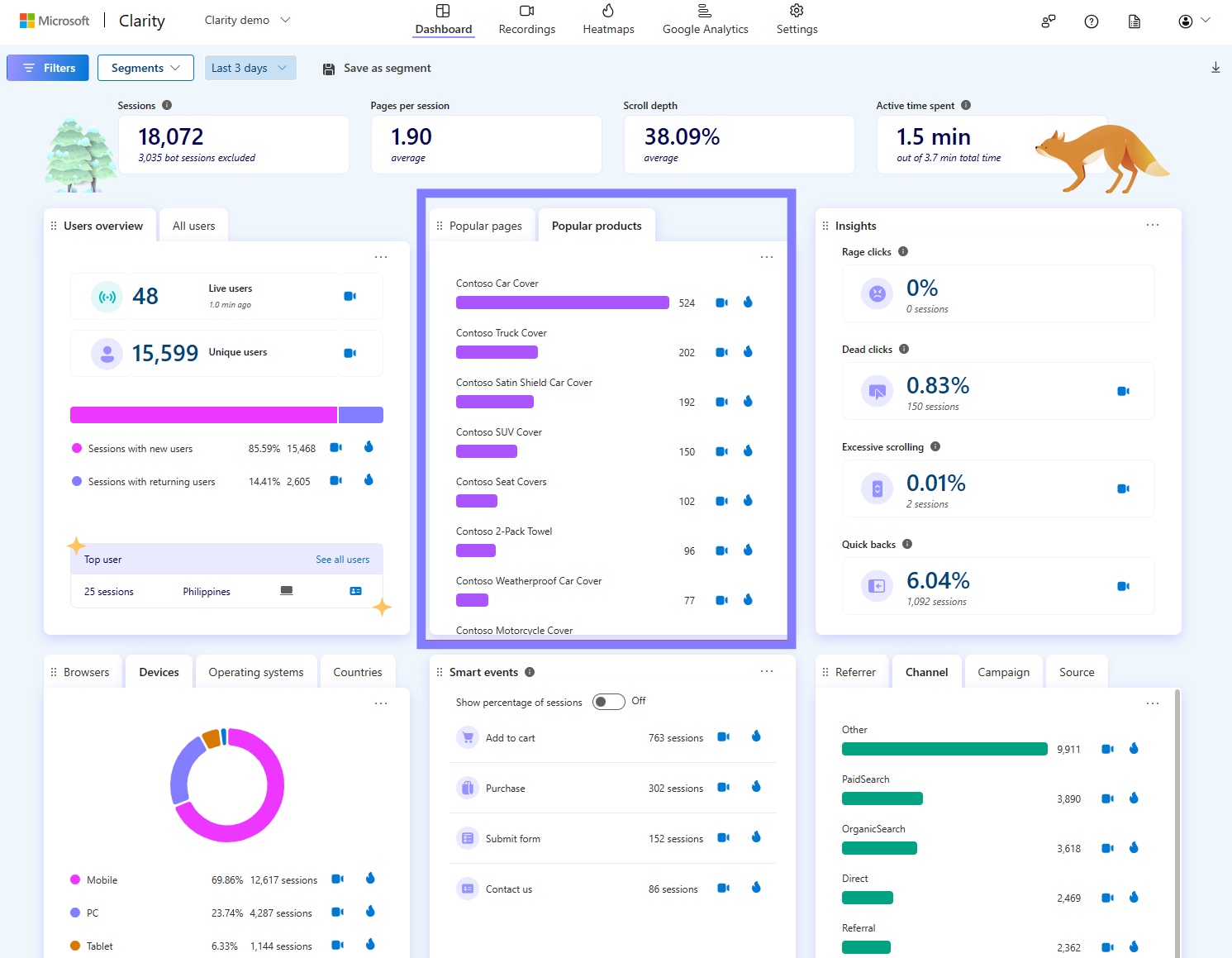
This tool, combined with Google Analytics and the analytics from your paid campaigns (Google Ads, Meta), is incredibly powerful because you can see if the users coming from your ads behave as expected or completely ignore what you’ve put in front of them. Analytics tells you how many arrive; Clarity tells you what they do once they get there.
It lets you discover if your users (paid, organic, or social) are actually navigating the way you expected or if they are ignoring certain elements you worked so hard to create.
Conclusion: publish, measure, and evolve
In the initial process, it is inevitable to make certain assumptions to move forward, especially if you don't have previous data to rely on. However, once you publish your website, set up the necessary infrastructure: Analytics properly configured (not just the code pasted in), Clarity running, and conversion events defined (form submission, contact button click, PDF download). Without that, you are still navigating blindly.
Make the necessary changes based on what you see, not what you think. That is how you truly improve your results.
You don't know how your visitors behave (and you have no way of knowing)
You have traffic, but they aren't reaching out. You have no idea where your visitors are dropping off because you haven't set up the infrastructure to capture that data.
I set up your analytics system + help you interpret the data
I configure the necessary tools (Analytics, heatmaps, event tracking) so you can start seeing how your real users navigate. And when the data comes in, I guide you in making concrete decisions for improvement.